


Etsy Fee Calculator 2026 Spreadsheet: 15 countries, profit & price finder (Excel + Google Sheets)
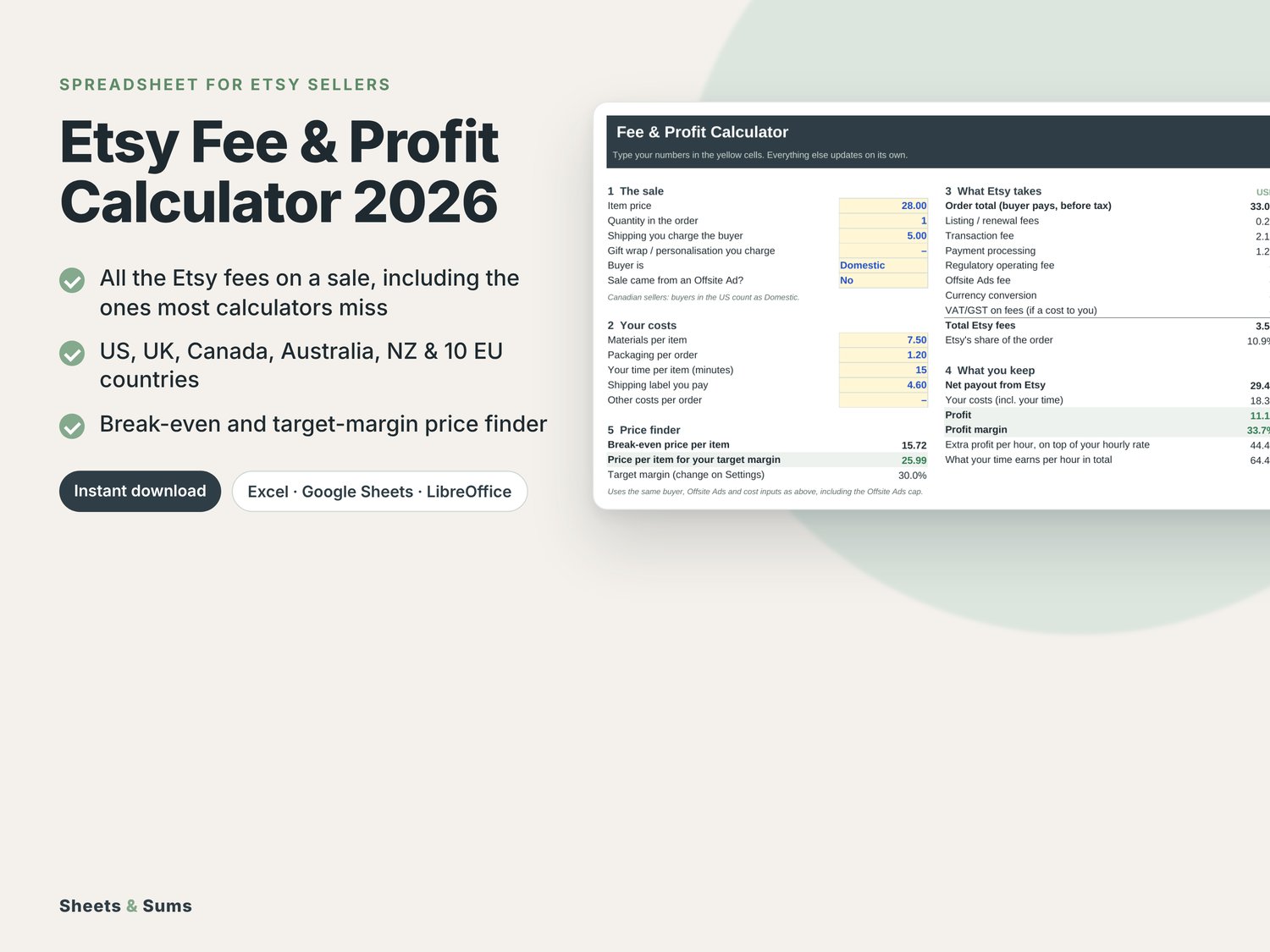
Find out exactly what Etsy takes from every sale, and what you should charge to make the profit you want.
Most Etsy fee calculators assume you're a US seller. This one has the 2026 rates for sellers in the United States, United Kingdom, Canada, Australia, New Zealand and 10 EU countries (plus a custom row for your own), including the fees most calculators leave out.
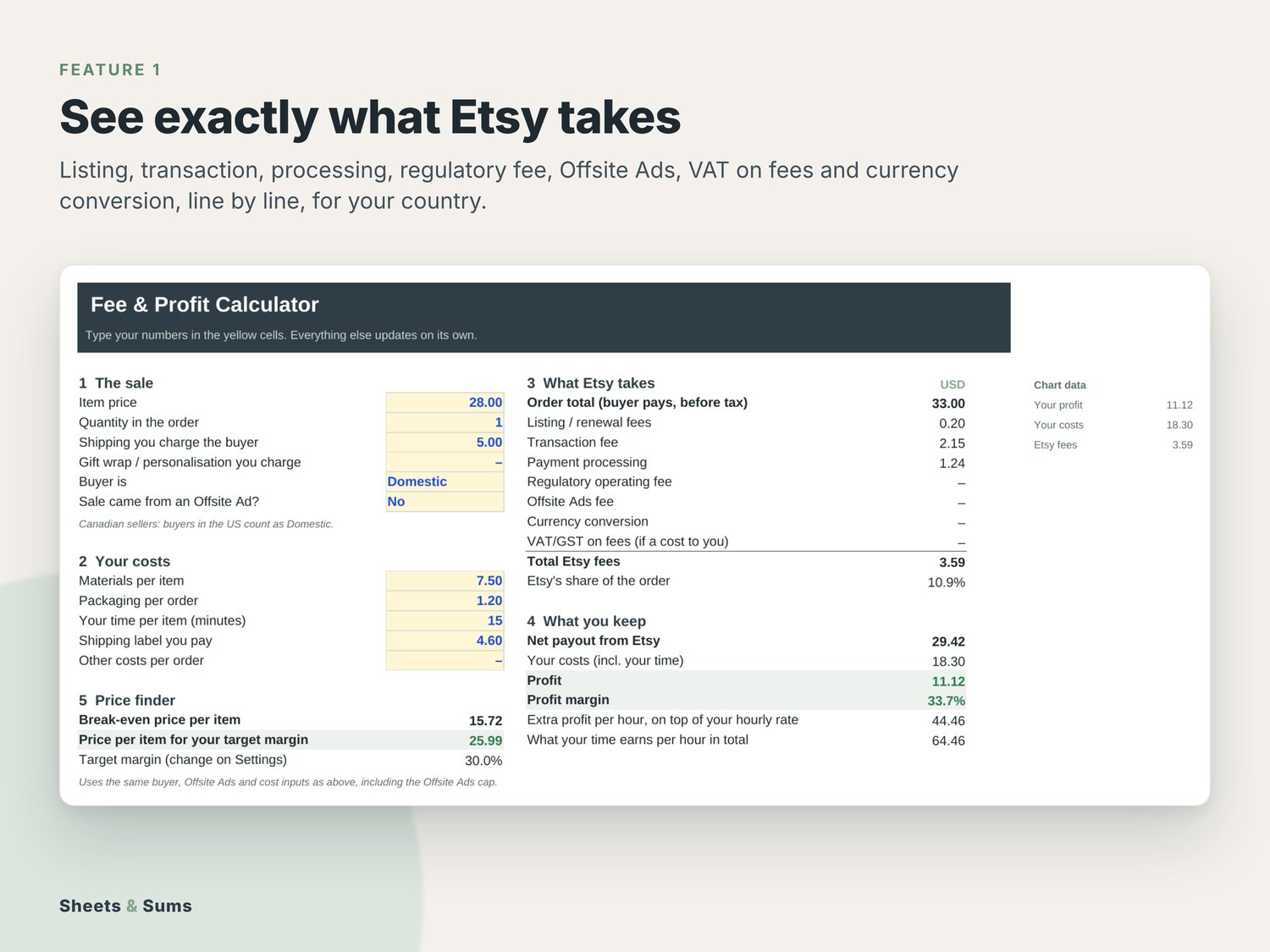
THE FEES ON EVERY SALE, LINE BY LINE
- Listing/renewal fee per item sold
- 6.5% transaction fee on item price, shipping and gift wrap
- Payment processing by country, domestic vs international buyers, on the order including any tax Etsy collects
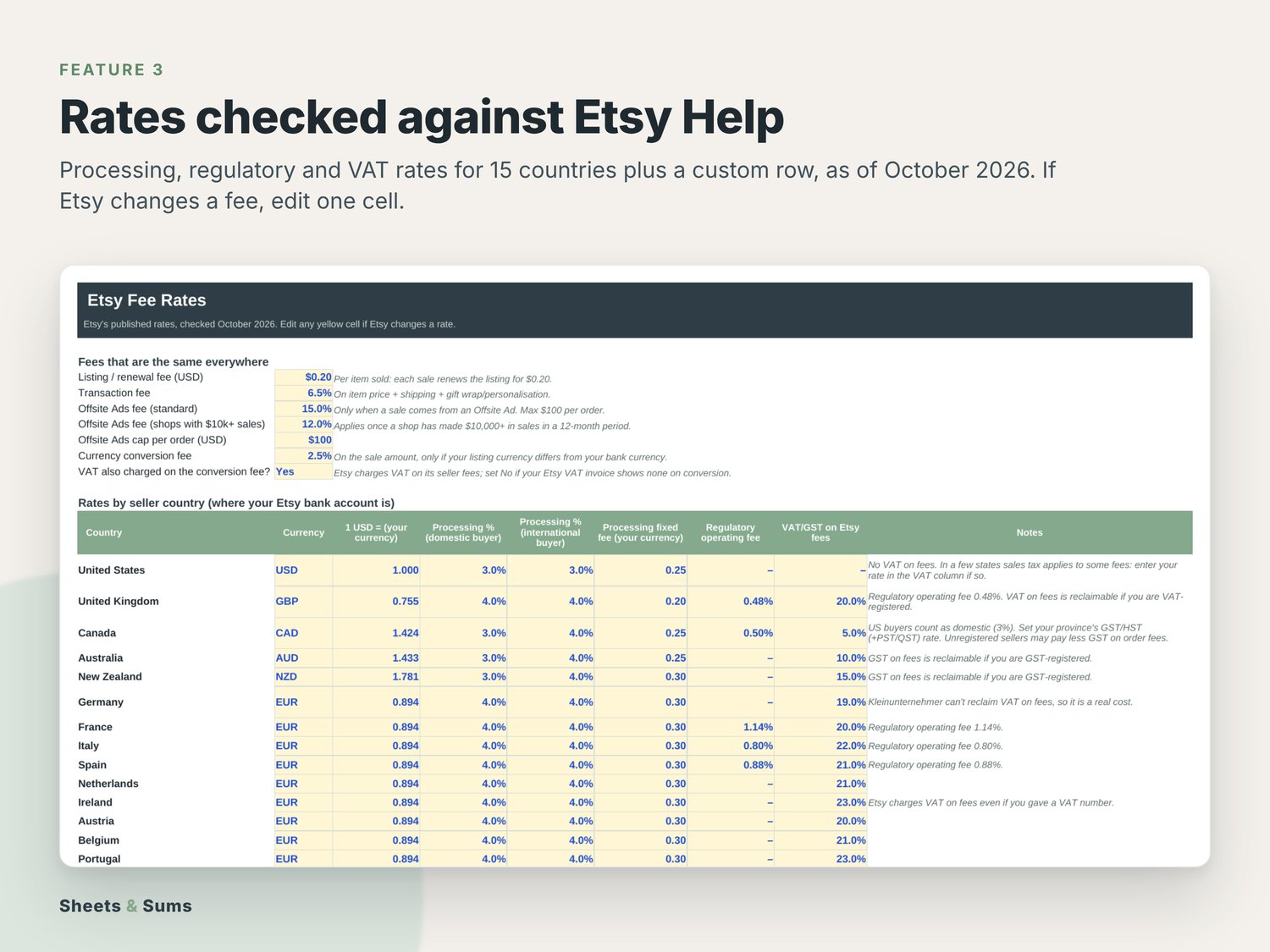
- Regulatory operating fee (UK 0.48%, France 1.14%, Italy 0.80%, Spain 0.88%, Canada 0.50%)
- VAT/GST on Etsy's fees when you can't reclaim it
- Offsite Ads (15% or 12%, capped at $100 per order)
- Etsy's 2.5% currency conversion fee on the sale amount
Want to see the numbers first? Read the free guide Etsy fees 2026 explained (with US, UK and Australia examples).
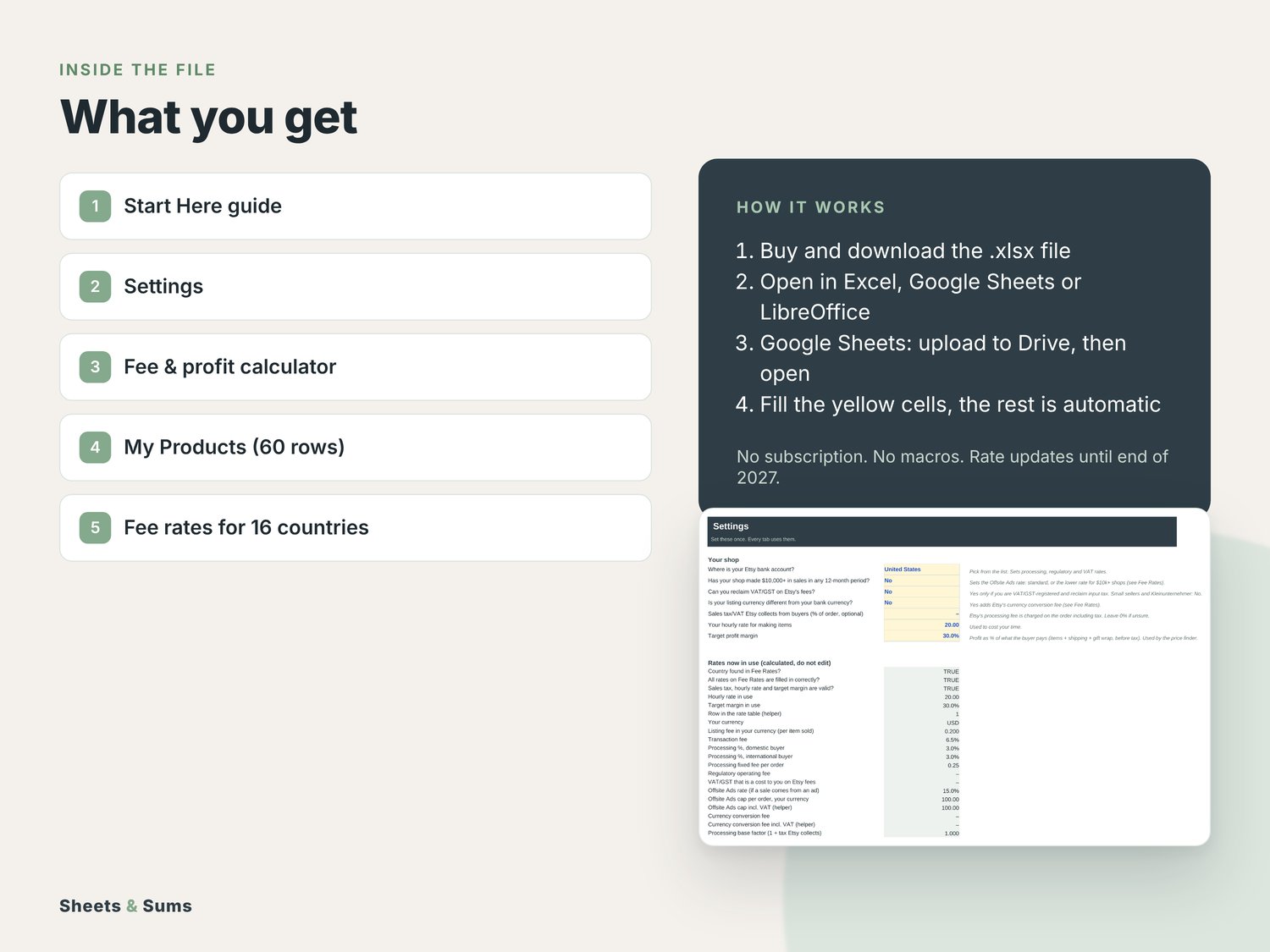
WHAT'S INSIDE
- Calculator: one order in, every fee, your payout, profit, margin and what your time earns per hour out.
- Price finder: your break-even price and the price that hits your target margin, Offsite Ads cap included.
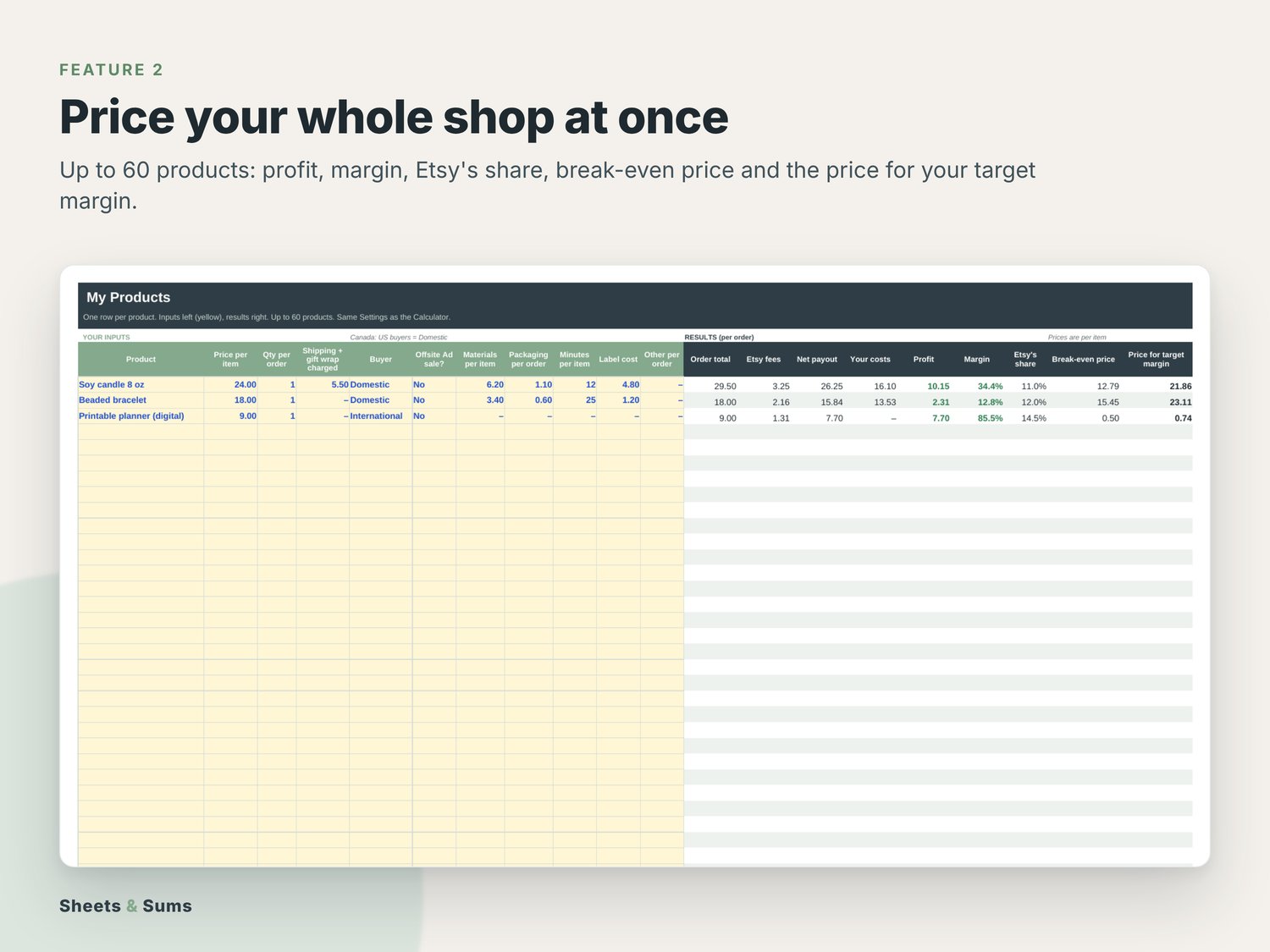
- My Products: up to 60 products side by side, with profit, margin, Etsy's share and suggested prices.
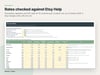
- Fee Rates: rates for 15 countries plus a custom row, in one editable table, checked against Etsy Help in October 2026.
- Your labour time, materials, packaging and shipping labels included.
FREE RATE UPDATES UNTIL END OF 2027
If Etsy changes a fee before 31 Dec 2027, we update the rates in the file. Download the new version from your download page with the same license key; no need to email us. You can also change any rate yourself in one cell.
WHY IT'S EASY TO USE
- Works in Excel and Google Sheets. One-time price, no subscription, no account.
- A filled-in example and a Start Here tab, so you copy the setup instead of starting from a blank sheet.
- Free updates: your download page always has the latest version.
HOW YOU GET IT
- After checkout you get a short PDF with your personal download page and your license key (the key is also on your order page).
- Download the file at sheetsandsums.com/download/etsy-fee-calculator with the email you bought with and your key. You always get the newest version, and future updates are free: same page, same key.
- Open the .xlsx file in Excel (2016 or newer) or LibreOffice (free, also on Mac). Apple Numbers isn't supported. Google Sheets: drive.google.com > New > File upload, then open it with Google Sheets.
- Fill in the yellow cells. Everything else calculates on its own.
GOOD TO KNOW
- Instant digital download. Nothing is shipped.
- No subscription, no macros, no account needed.
- In Excel and LibreOffice, formulas are locked so they can't break by accident (no password). Google Sheets doesn't keep the locks.
- Every rate and assumption sits in an editable cell, so you can update it yourself when something changes.
- Stuck? The Start Here tab answers most questions. Otherwise email hello@sheetsandsums.com; we usually reply within 2 working days.
- Doesn't open or doesn't work as described? Email us and we'll fix it or refund you.
KNOW YOUR WHOLE YEAR
Pair it with the Maker Bookkeeping & Profit Tracker, or get both in the Etsy Seller Bundle and save 21%.
Not tax, legal or accounting advice. For use in your own business; please don't resell or share the file.