





Sticker & Print Pricing Calculator Spreadsheet: cost per sticker, ink per page (Excel + Google Sheets)
Know what every sheet really costs you, and what to charge for it.
This sticker & print shop cost & pricing calculator turns what you paid for your supplies into a cost per item, adds your time and overheads, and gives you three prices: wholesale, retail, and the lowest Etsy price that still hits your profit margin after Etsy's fees.
Most makers underprice because they forget their time, packaging or fees. This shows you, in green or red, whether each product actually makes money.
Want to see the numbers first? Read the free guide How to price stickers and prints.
WHAT'S INSIDE
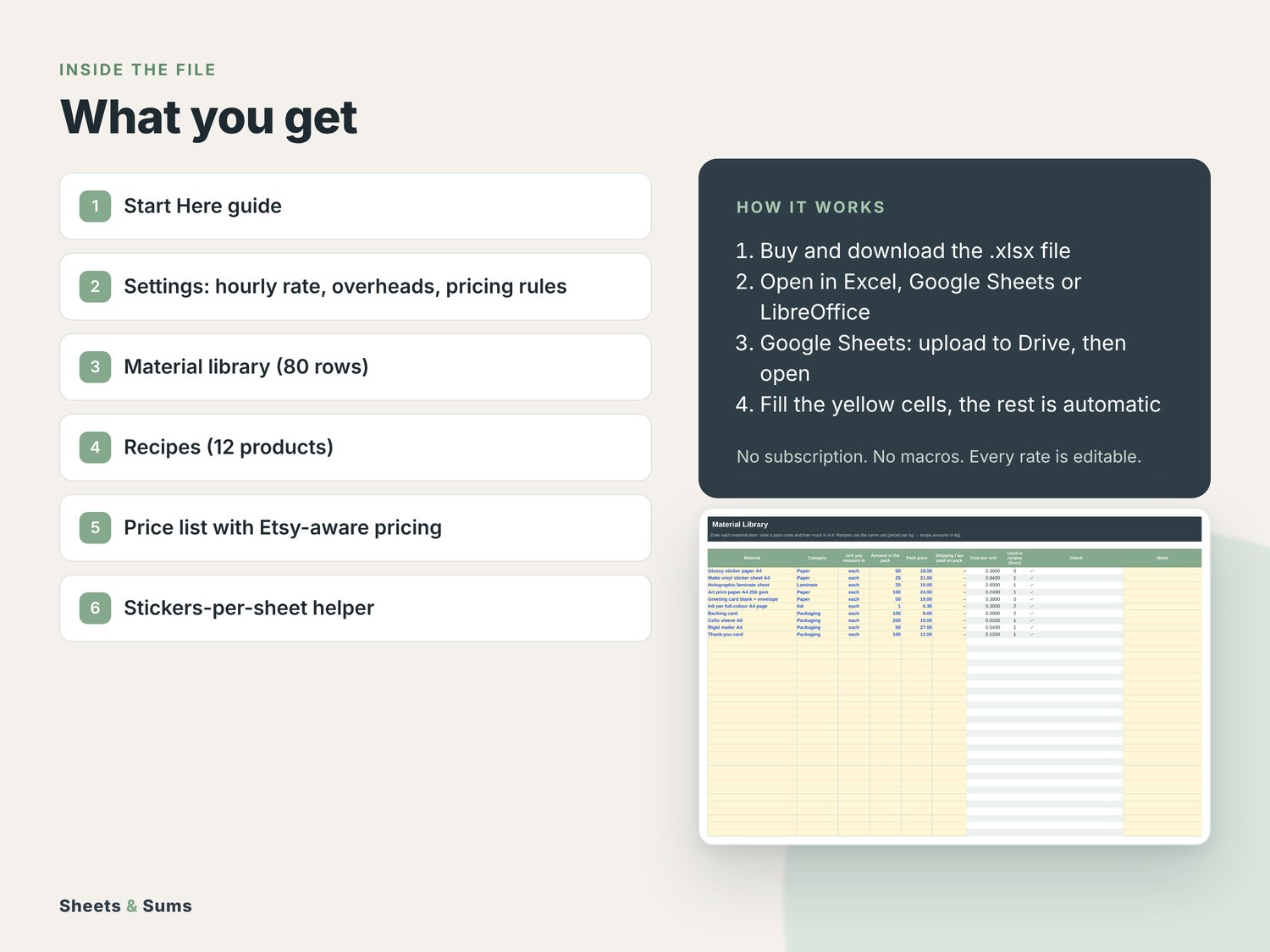
- Material library (80 rows): enter pack size, pack price and shipping once. Cost per gram, ml, cm or piece is worked out for you.
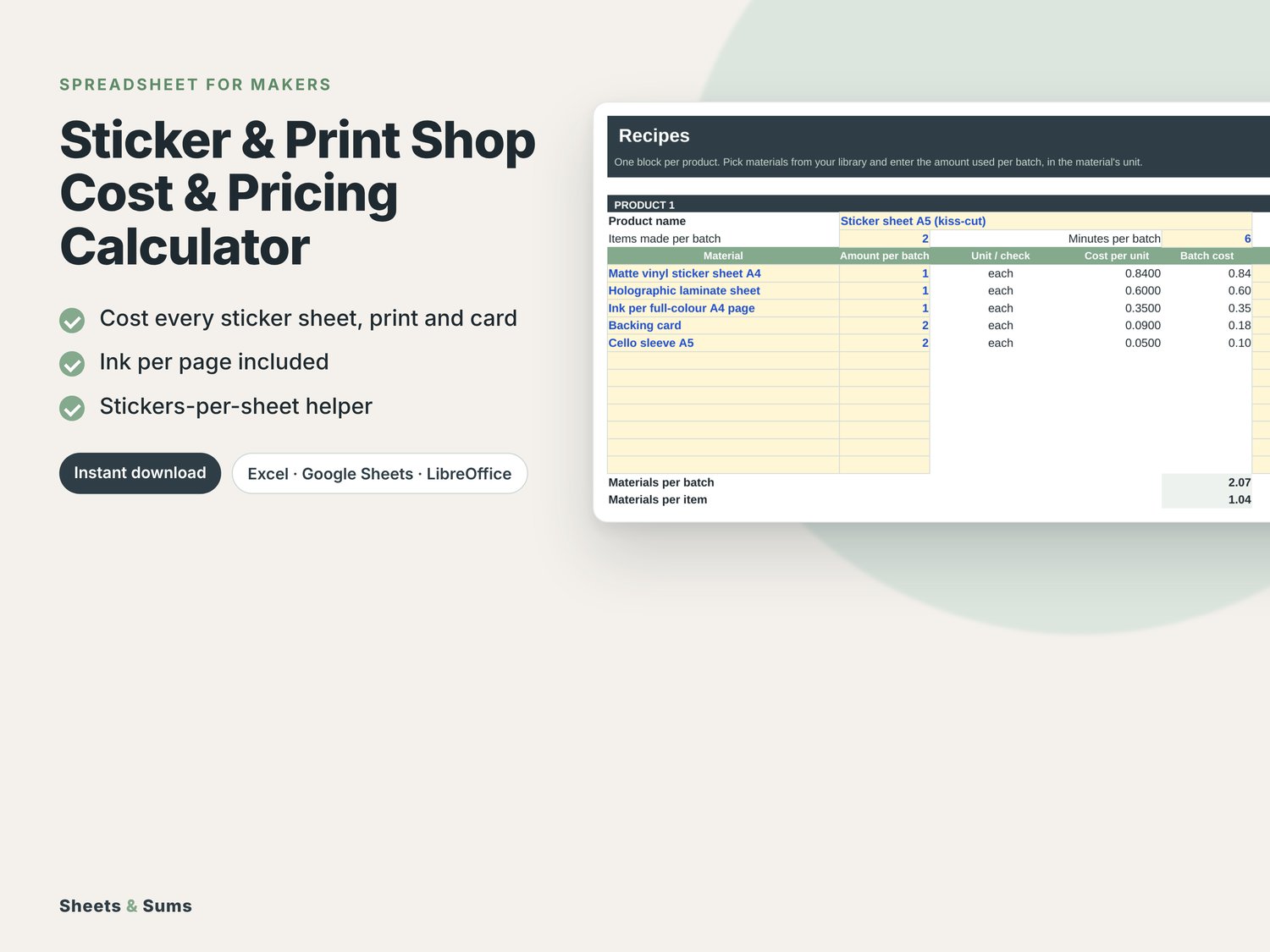
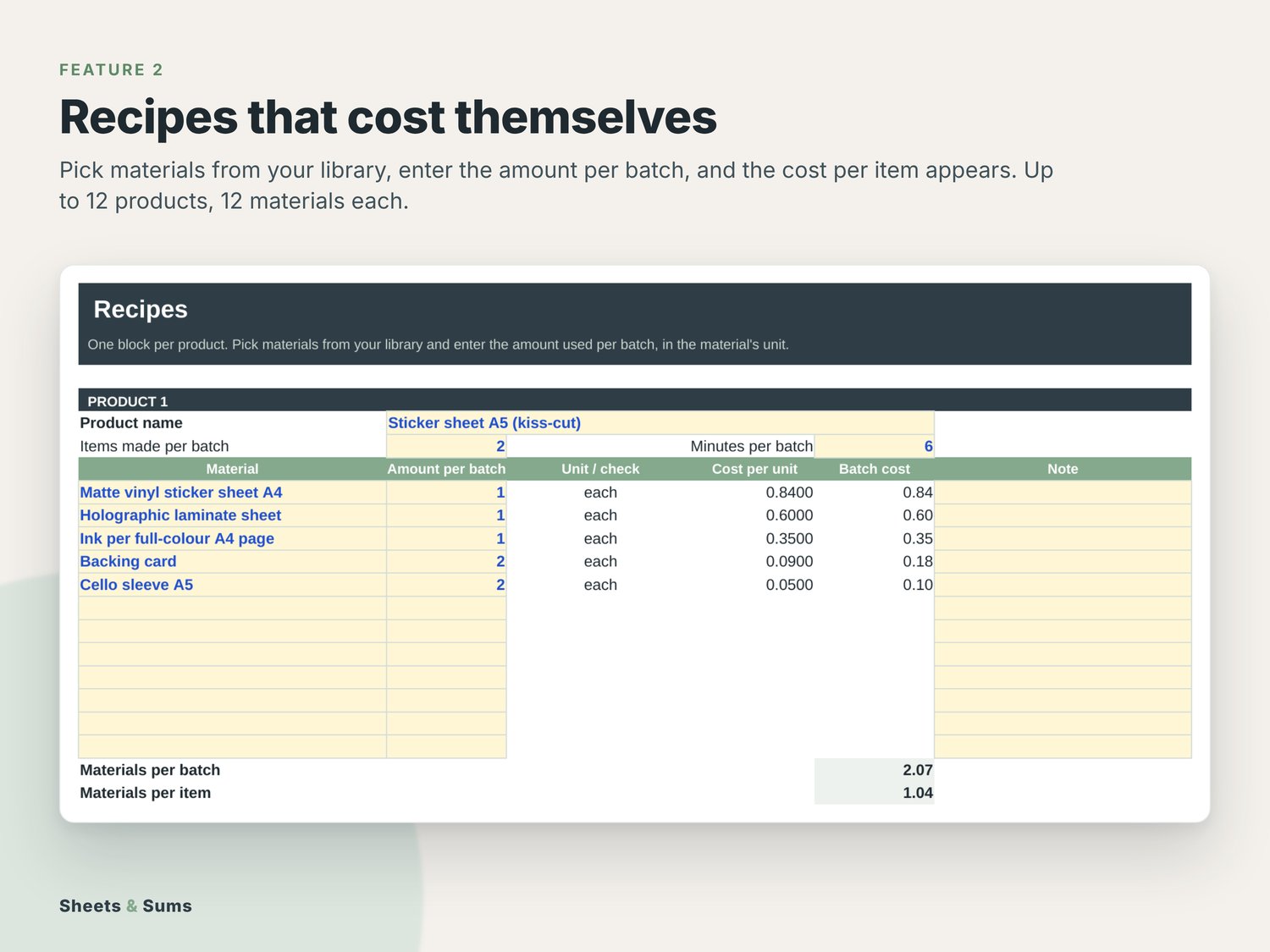
- Recipes for up to 12 products, each with up to 12 materials, batch size and making time.
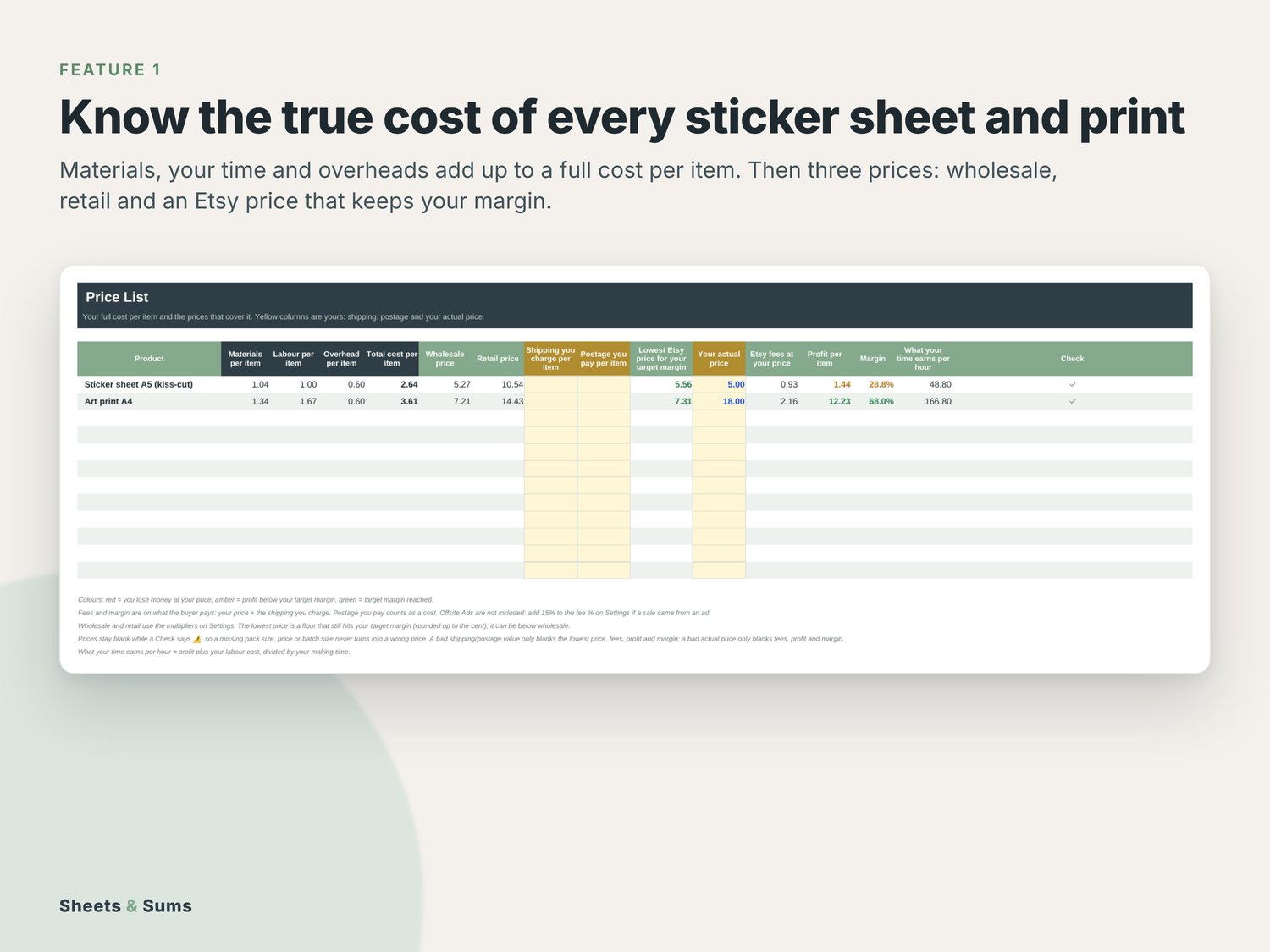
- Price list: materials, labour and overhead per item, total cost, wholesale price, retail price and an Etsy-aware price for your target margin.
- Profit check at your current price: Etsy fees, profit, margin and what your time earns per hour.
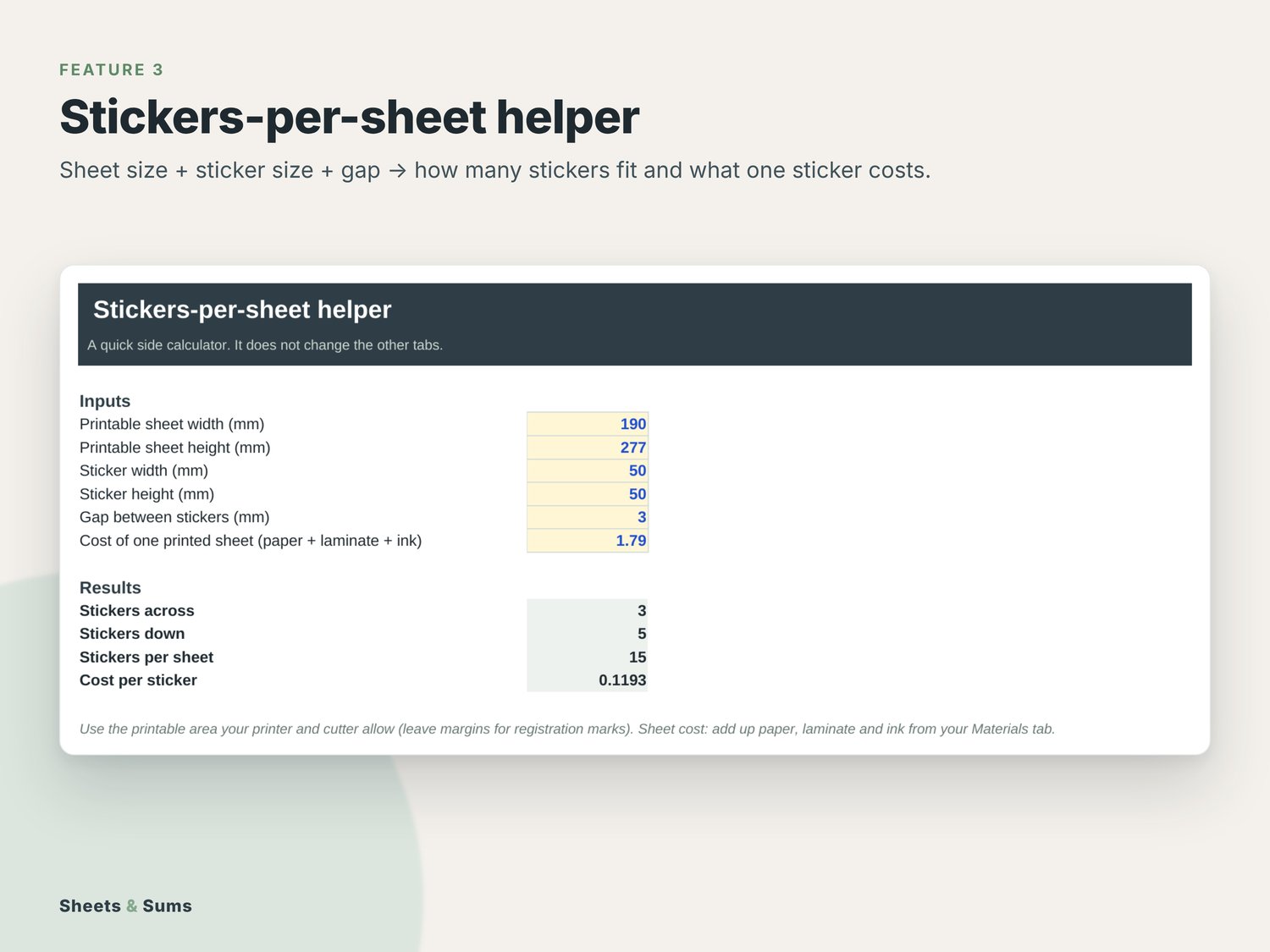
- Stickers-per-sheet helper: Sheet size + sticker size + gap → how many stickers fit, so you can cost one sticker.
- Settings for your hourly rate, monthly overheads, pricing multipliers and fee estimates. Works in any currency.
INK INCLUDED: add your ink cost per printed page once, and every sticker sheet, print and card includes it.
WHY IT'S EASY TO USE
- Works in Excel and Google Sheets. One-time price, no subscription, no account.
- A filled-in example and a Start Here tab, so you copy the setup instead of starting from a blank sheet.
- Free updates: your download page always has the latest version.
HOW YOU GET IT
- After checkout you get a short PDF with your personal download page and your license key (the key is also on your order page).
- Download the file at sheetsandsums.com/download/sticker-pricing with the email you bought with and your key. You always get the newest version, and future updates are free: same page, same key.
- Open the .xlsx file in Excel (2016 or newer), Apple Numbers or LibreOffice. Google Sheets: drive.google.com > New > File upload, then open it with Google Sheets.
- Fill in the yellow cells. Everything else calculates on its own.
GOOD TO KNOW
- Instant digital download. Nothing is shipped.
- No subscription, no macros, no account needed.
- Formulas are locked so they can't break by accident (unlock with Review > Unprotect Sheet, no password).
- Every rate and assumption sits in an editable cell, so the file never goes out of date on you.
- Stuck? The Start Here tab answers most questions. Otherwise email hello@sheetsandsums.com; we usually reply within 2 working days.
- Doesn't open or doesn't work as described? Email us and we'll fix it or refund you.
SELLING AT CRAFT FAIRS?
Check before you book whether a fair is worth the booth fee with the free craft fair calculator, then track sales, stock and profit at your stall with the free Market Day app.
A planning and record-keeping tool, not tax, legal or accounting advice. For use in your own business; please don't resell or share the file.